Services_
Enable or disable individual Appwrite services on your project programmatically using server SDKs.
2 min read
Each Appwrite project ships with the full set of services enabled by default: Account, TablesDB, Storage, Functions, and so on. You can disable any service your clients don't use to remove it from the client-facing API. Disabled services remain accessible to server SDKs using an API key.
Services can be toggled from the Appwrite Console, or programmatically through any server SDK using the Project service.
Manage from the Console
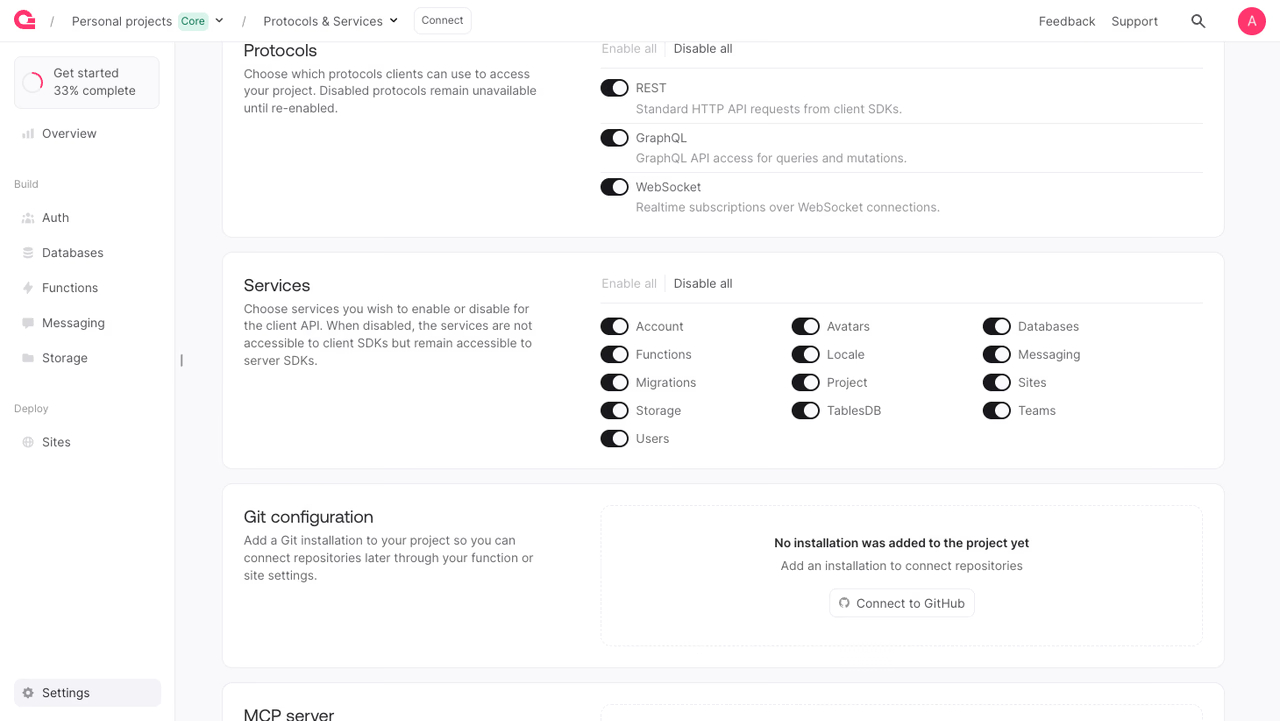
To toggle a service manually:
- Open your project in the Appwrite Console.
- Open Settings from the bottom of the side nav.
- Scroll to the Services card.
- Flip the switch next to the service you want to enable or disable. Use Disable all to turn off every optional service at once.
Available services
| Service ID | Description |
|---|---|
account | User accounts and authentication. |
avatars | App image, icon, and avatar helpers. |
tablesdb | TablesDB tables, columns, and rows. |
locale | Locale and geographic helpers. |
health | Health checks and status. |
project | Project configuration. |
storage | File storage buckets and files. |
teams | Teams and shared resource access. |
users | User administration via server SDKs. |
sites | Sites hosting and deployments. |
functions | Cloud Functions. |
proxy | Custom domain proxy. |
graphql | GraphQL endpoint. |
migrations | Third-party data migrations. |
messaging | Push, SMS, and email messaging. |
databases | Legacy Databases collections and documents. |
Update a service
The example below disables the Account service. Pass enabled: true to re-enable it.
The API key used for this call needs the project.write scope.
Benefits
- Shrink the client surface area. Disable services your client apps don't use so they're no longer callable from client SDKs.
- Server-only access. Disabled services stay reachable from server SDKs using an API key, useful when you want a service available to your backend but hidden from clients.
- Repeatable provisioning. Script the service set a project should expose and apply it from CI when spinning up a new environment.
Was this page helpful?
Share what worked or what we should fix. Once approved, our agents automatically apply suggested updates to the docs.