Protocols_
Enable or disable the REST, GraphQL, and WebSocket protocols on your Appwrite project programmatically using server SDKs.
2 min read
Each Appwrite project exposes its API through three protocols: REST, GraphQL, and WebSocket. You can disable any protocol your clients don't use to shrink the project's surface area, then re-enable it when needed.
Protocols can be toggled from the Appwrite Console, or programmatically through any server SDK using the Project service.
Manage from the Console
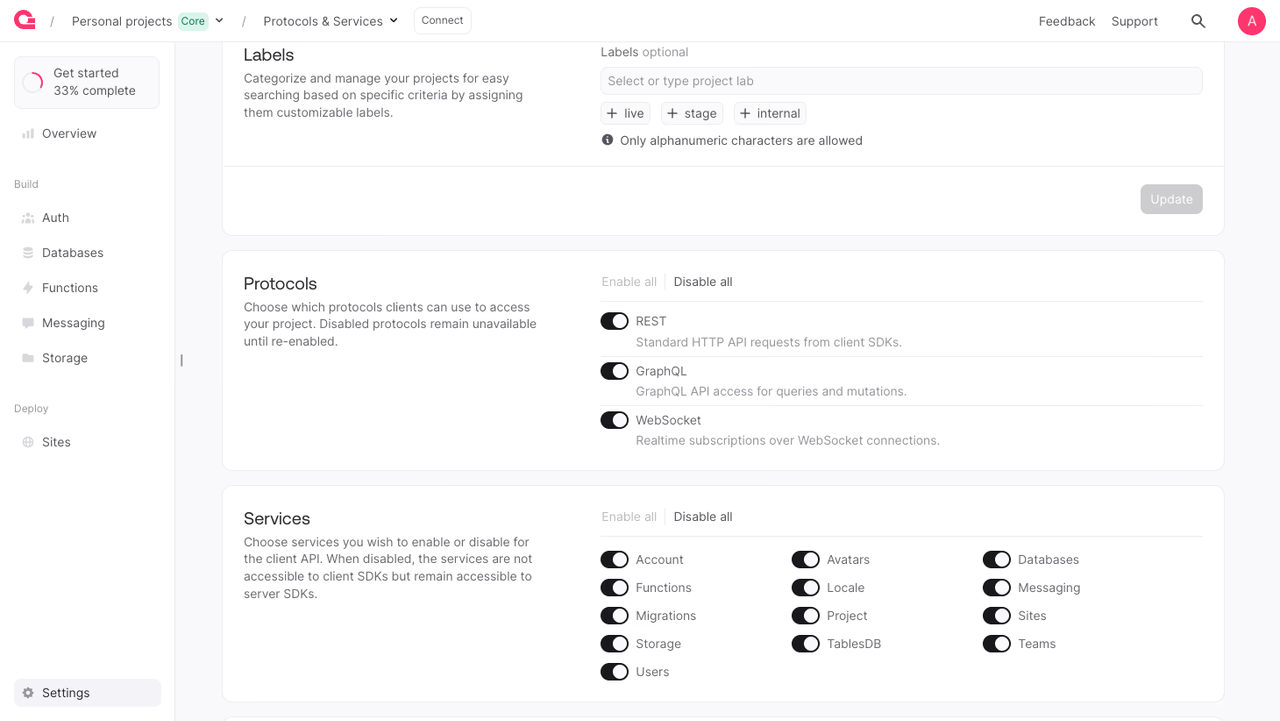
To toggle a protocol manually:
- Open your project in the Appwrite Console.
- Open Settings from the bottom of the side nav.
- Scroll to the Protocols card.
- Flip the switch next to REST, GraphQL, or WebSocket. Use Disable all to turn off every protocol at once.
Available protocols
| Protocol ID | Description |
|---|---|
rest | Standard HTTP API requests from client SDKs. |
graphql | GraphQL API access for queries and mutations. |
websocket | Realtime subscriptions over WebSocket connections. |
Update a protocol
The example below disables the REST protocol. Pass enabled: true to re-enable it.
Disabling REST blocks client SDK traffic only. Server SDKs using an API key keep access, so you can always call this endpoint again to re-enable the protocol.
The API key used for this call needs the project.write scope.
Benefits
- Shrink the client surface area. Disabled protocols are blocked for client SDK callers (anonymous, account session, JWT, and OAuth users). Server SDKs using an API key still have access, including to re-enable the protocol.
- Repeatable provisioning. Script the protocol set a project should expose and apply it from CI when spinning up a new environment.
- Environment parity. Keep dev, staging, and production in sync by running the same enable/disable script against each project.
Was this page helpful?
Share what worked or what we should fix. Once approved, our agents automatically apply suggested updates to the docs.