Email templates_
Customize the account management emails Appwrite sends to your users, including verification, password recovery, and magic URL emails, per locale.
3 min read
Appwrite sends transactional emails on your behalf for account management flows such as email verification, password recovery, and magic URL sign-in. Email templates let you customize the subject, message body, sender identity, and reply-to address of each of these emails, with a separate version for every locale you support.
You can view the built-in default templates at any time, but saving a customization requires a custom SMTP server enabled on your project. See Custom SMTP server to set one up.
Manage in the Console
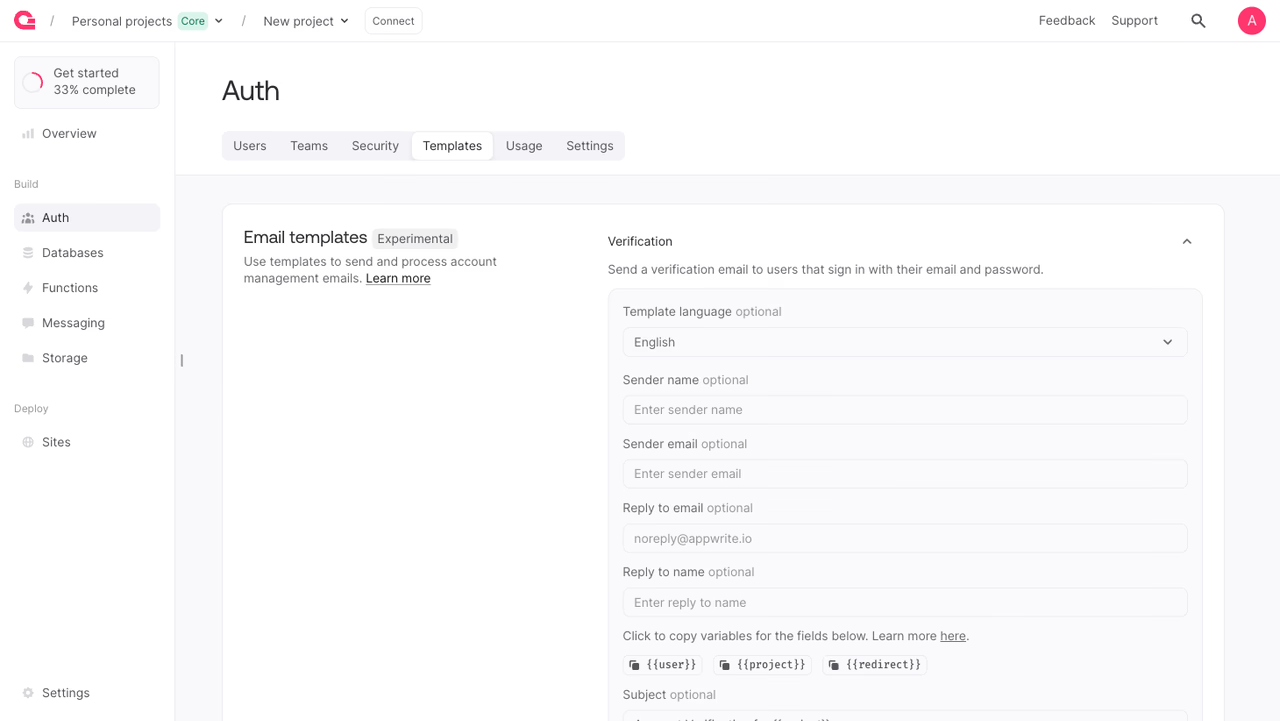
To edit email templates from the Appwrite Console:
- Navigate to your project.
- Open the Auth section and select the Templates tab.
- Under Email templates, expand the template you want to edit, such as Verification or Reset password.
- Choose a Template language, then edit the sender name, sender email, reply-to address, subject, and message. Use the variable chips (
{{user}},{{project}},{{redirect}}) to insert dynamic values into the subject and message. - Click Update to save the template for the selected language.
Manage with a Server SDK
You can also manage email templates programmatically using a Server SDK.
The API key used for these calls needs templates.read to list or fetch templates, and templates.write to update them.
List email templates
You can paginate the result with the limit and offset queries. See Queries for the query syntax.
Get an email template
Retrieve a single template by its type and, optionally, locale. If you omit the locale, the fallback locale en is returned.
Update an email template
Customize a template's subject, message, and sender identity for a given type and locale. Every field is optional, so you can change only the values you need. The subject and message accept the {{user}}, {{project}}, and {{redirect}} variables, which Appwrite replaces when sending the email.
Template types
Each email template is identified by a templateId. The available types map to the account management emails Appwrite sends:
| Console name | Template ID | Sent when |
|---|---|---|
| Verification | verification | A user requests email address verification. |
| Magic URL | magicSession | A user signs in with a magic URL link. |
| OTP session | otpSession | A user signs in with an email one-time password. |
| Reset password | recovery | A user starts the password recovery flow. |
| Invite user | invitation | A user is invited to join a team. |
| 2FA verification | mfaChallenge | A user completes an email-based multi-factor challenge. |
| Session alert | sessionAlert | A new session is created on a user's account. |
Locales
Templates are stored per locale, so you can send the right copy to each audience. Pass the locale parameter to read or write the version for a specific language. If you omit it, Appwrite uses the fallback locale en. Locale codes follow the ISO 639-1 standard with optional region suffixes, such as en, fr, de, or pt-br.
Benefits
- On-brand emails. Replace the default sender name, address, subject, and message so account emails match your product instead of generic Appwrite copy.
- Localized messaging. Maintain a separate version of each template per locale and reach every user in their own language.
- Repeatable provisioning. Script template content as code and apply the same configuration across dev, staging, and production projects without clicking through the Console.
Was this page helpful?
Share what worked or what we should fix. Once approved, our agents automatically apply suggested updates to the docs.