Policies_
Configure password rules, session limits, user limits, and membership privacy on your Appwrite project programmatically using server SDKs.
4 min read
Project policies control how users authenticate, how long their sessions live, how many users can sign up, and what team members can see about each other. Each policy is an independent toggle on the project.
Policies can be configured from the Appwrite Console, or programmatically through any server SDK using the Project service.
Manage from the Console
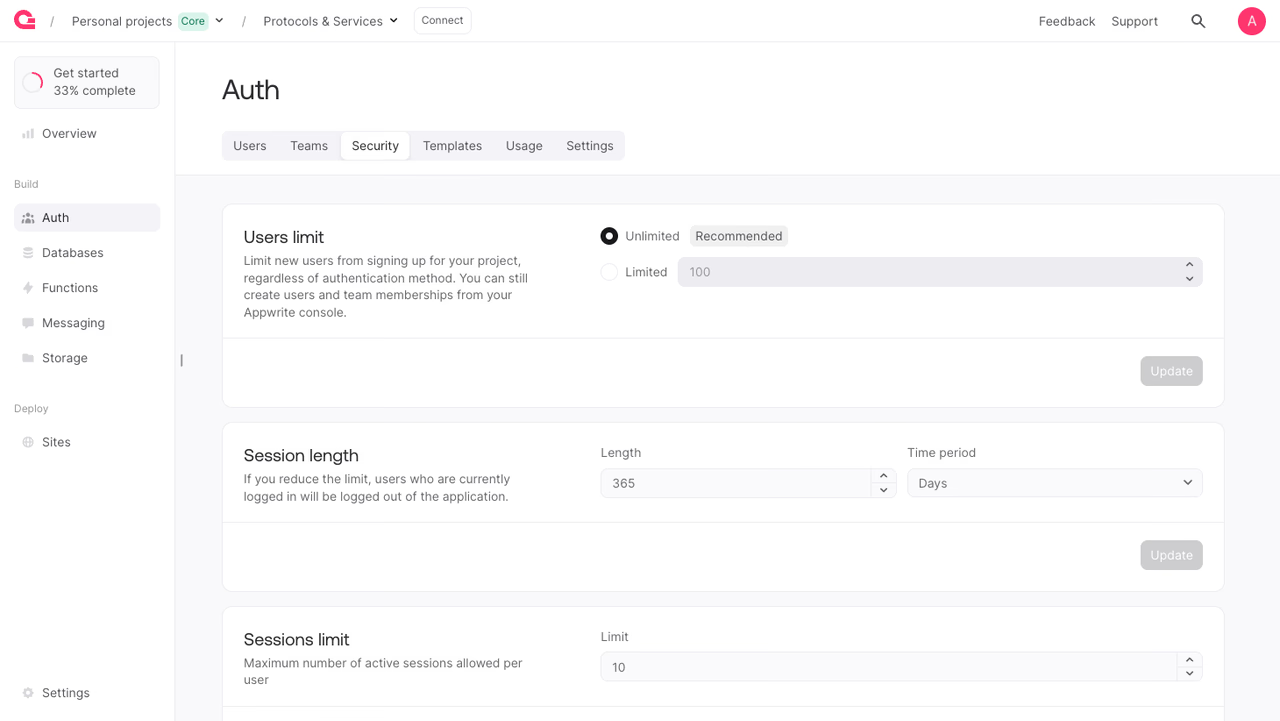
To configure policies manually:
- Open your project in the Appwrite Console.
- Navigate to Auth in the sidebar.
- Open the Security tab.
- Adjust the policy you want, then click Update on its card.
Available policies
| Policy ID | SDK method | Body |
|---|---|---|
password-dictionary | updatePasswordDictionaryPolicy | enabled |
password-history | updatePasswordHistoryPolicy | total (1–APP_LIMIT_COUNT, or null) |
password-strength | updatePasswordStrengthPolicy | min (8–256, default 8), uppercase, lowercase, number, symbols (all optional) |
password-personal-data | updatePasswordPersonalDataPolicy | enabled |
session-alert | updateSessionAlertPolicy | enabled |
session-duration | updateSessionDurationPolicy | duration (5–31536000 seconds) |
session-invalidation | updateSessionInvalidationPolicy | enabled |
session-limit | updateSessionLimitPolicy | total (1–APP_LIMIT_COUNT, or null) |
user-limit | updateUserLimitPolicy | total (1–APP_LIMIT_COUNT, or null) |
membership-privacy | updateMembershipPrivacyPolicy | userId, userEmail, userPhone, userName, userMFA (all bool, all optional) |
deny-aliased-email | updateDenyAliasedEmailPolicy | enabled |
deny-disposable-email | updateDenyDisposableEmailPolicy | enabled |
deny-free-email | updateDenyFreeEmailPolicy | enabled |
The API key used for these calls needs project.policies.read to list or fetch policies, and project.policies.write to update them.
List policies
List all policies configured for the project along with their current state.
Get a policy
Fetch a single policy by its ID. The response fields depend on the policy type, matching the Available policies table above.
Update password dictionary policy
When enabled, new passwords are checked against a dictionary of common passwords and rejected if they match.
Update password history policy
Stores the last total password hashes per user and rejects new passwords that match. Pass null to disable.
Update password strength policy
Set the minimum password length and which character types new passwords must contain. Each field is optional, and any field you omit keeps its current value.
Update password personal data policy
When enabled, new passwords are rejected if they contain the user's ID, name, email, or phone number.
Update session alert policy
When enabled, the user receives an email each time a new session is created. The first session after sign-up does not trigger an alert.
Update session duration policy
Sets the maximum lifetime of a session in seconds. Valid range is 5 seconds to 31536000 seconds (one year).
Update session invalidation policy
When enabled, all existing sessions for a user are invalidated when their password is changed.
Update session limit policy
Sets the maximum number of concurrent sessions allowed per user. When the limit is reached, the oldest session is dropped to make room for a new one. Pass null to remove the limit.
Update user limit policy
Sets the maximum number of users in the project. Existing users remain active when the limit is reached or exceeded; new sign-ups are rejected. Pass null to remove the limit.
Update membership privacy policy
Controls which fields of one team member's profile are visible to other members in the same team. Each field can be toggled independently.
Update deny aliased email policy
When enabled, aliased emails such as subaddresses and emails with a suffix are rejected during new sign-ups and email updates.
Update deny disposable email policy
When enabled, disposable emails from known temporary domains are rejected during new sign-ups and email updates.
Update deny free email policy
When enabled, emails from free providers such as Gmail or Yahoo are rejected during new sign-ups and email updates.
Benefits
- Codify auth posture. Keep password rules, session lifetimes, and user caps in version control alongside the rest of your project configuration.
- Environment parity. Apply the same policy script to dev, staging, and production projects to keep them aligned.
- Faster incident response. When a policy needs to change in a hurry (e.g. tightening session duration after a breach), update it from a script instead of clicking through the Console.
Was this page helpful?
Share what worked or what we should fix. Once approved, our agents automatically apply suggested updates to the docs.