Network security_
TLS by default, IP allowlists, and idle timeouts for your PostgreSQL database.
2 min read
Every native database is reachable through a unique public hostname, secured with TLS, and protected by network controls that you configure per database.
Hostname
Each database gets a stable hostname in the form:
db-<hash>.<region>.appwrite.centerThe hostname does not change for the lifetime of the database, across restarts, resizes, failovers, and version upgrades. You can copy it from the Console credentials dialog or the database response.
TLS
Connections on Appwrite Cloud are encrypted with TLS, terminated at Appwrite's edge and forwarded to your database over the internal network. The connection string from the credentials dialog carries the right SSL settings for your environment, so drivers need no extra configuration.
IP allowlist
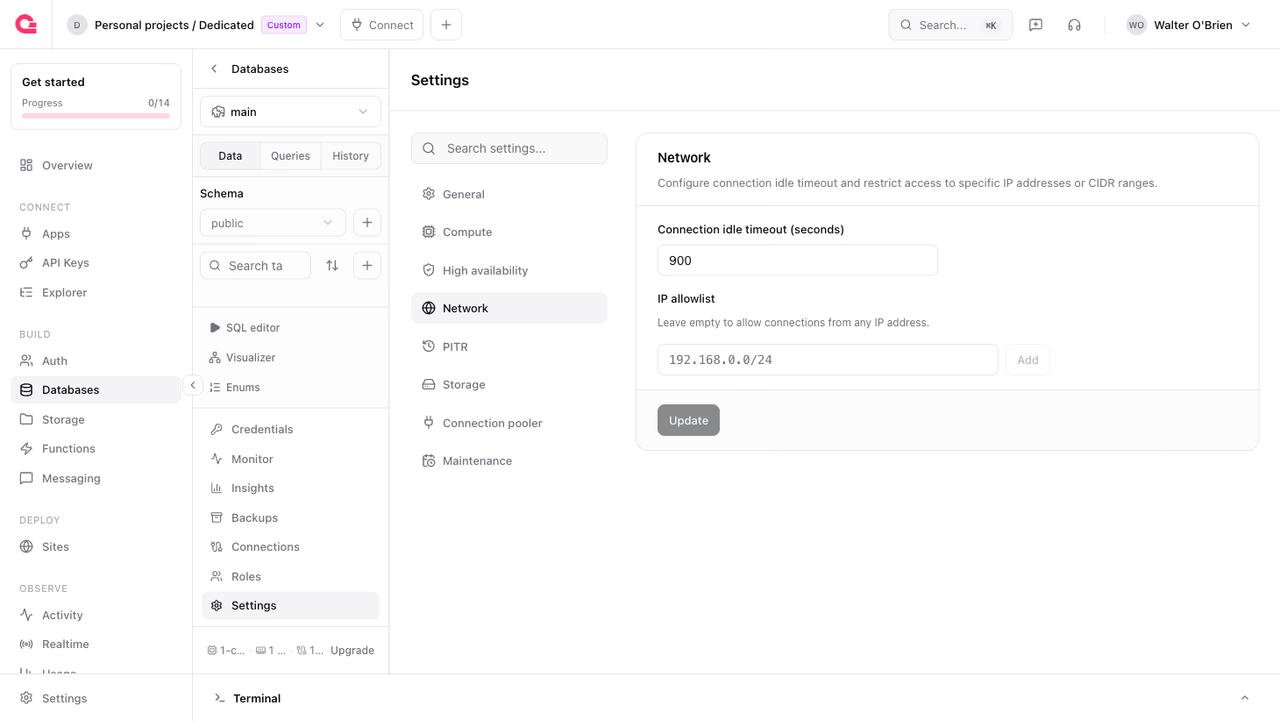
By default, any host that has your credentials can reach the database over the public internet. To restrict access to known networks, configure an IP allowlist. Connections from addresses outside the allowlist are dropped at the network layer, before authentication.
In the Console, add entries under Settings > Network.
From the API, pass CIDR blocks or single addresses:
Rules:
- Entries are IPv4 or IPv6 addresses or CIDR blocks, up to 100 entries per database.
- An empty allowlist means the database accepts connections from any address.
- The allowlist applies to the database and pooler ports. Appwrite's internal infrastructure, backups, monitoring, and replication, is unaffected.
If you connect from networks with changing addresses (home ISPs, mobile networks, serverless platforms without static egress), an allowlist can block you. Add your serverless provider's egress ranges, or leave the allowlist empty and rely on strong credentials and rotation.
Idle timeout
Connections that stay idle are closed by the edge proxy after networkIdleTimeoutSeconds, 900 seconds by default. Long-lived driver pools usually send periodic keepalives and are not affected. Raise the timeout if you hold connections open across long pauses; lower it to reclaim connection slots faster.
The same setting is available in the Console under Settings > Network.
Locking down access
For a production database:
- Set an IP allowlist covering only your application's egress addresses.
- Rotate the primary password on a schedule, and after anyone with access leaves your team.
- Watch the Connections tab for unexpected clients.
Was this page helpful?
Share what worked or what we should fix. Once approved, our agents automatically apply suggested updates to the docs.