Clients_
Register confidential and public OAuth clients against your Appwrite project's OAuth2 server and manage them from your own developer platform.
6 min read
A client is a third-party app that authenticates users through your project's OAuth2 server. Each client registers the redirect URIs it is allowed to return to and the post-logout redirect URIs it can end sessions at, sets its type, and chooses whether the device flow is enabled. Its other attributes serve two surfaces: branding like the name, logo, and tagline can appear on your consent screen, while attributes like tags, images, and the privacy policy URL are for your project's apps marketplace.
Integrators never visit the Appwrite Console. You are expected to build a developer platform on your own website with the Client SDKs' apps service, which covers the full lifecycle: create, update, get, list, delete, along with createSecret, listSecrets, getSecret, deleteSecret, updateTeam, and deleteTokens. Any signed-in user on your project can call them; no API key is involved. The Console's Auth > OAuth2 server > Apps tab is your own administrative view of the same data.
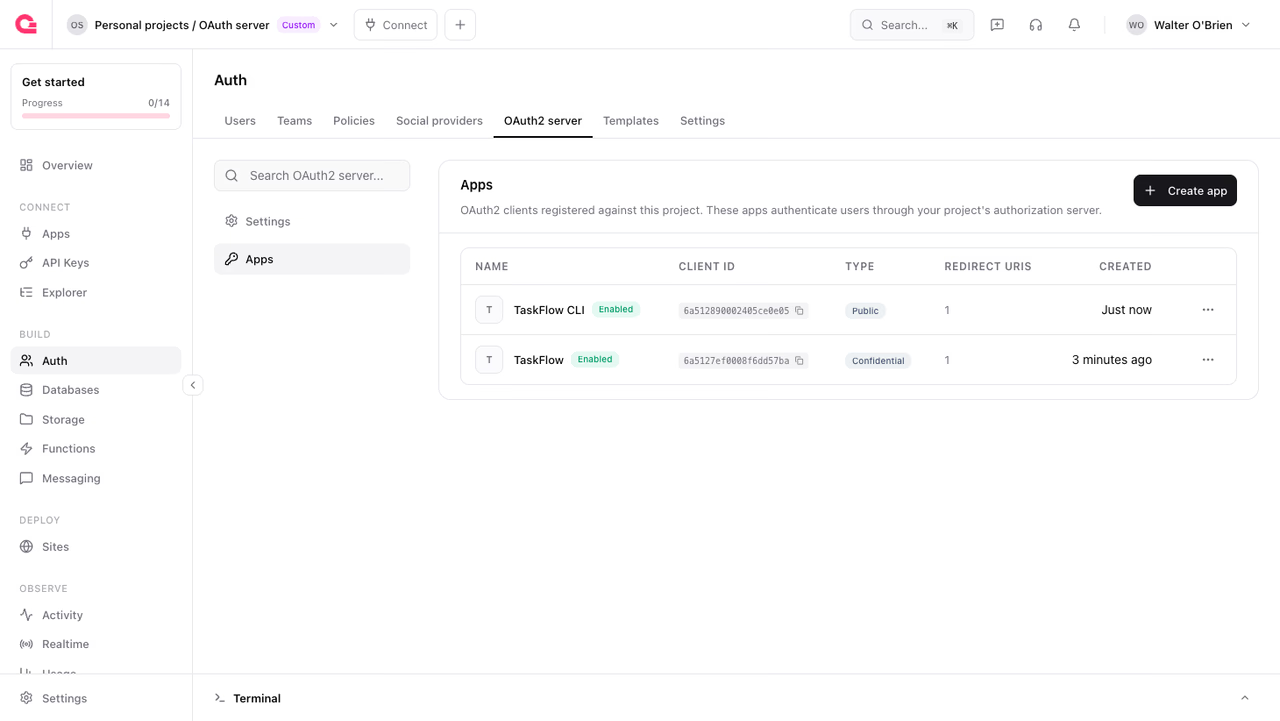
Server SDKs matter in exactly two places: introspecting a public client's tokens, which needs an API key because there is no client secret, and administrative operations like curating labels.
Confidential and public clients
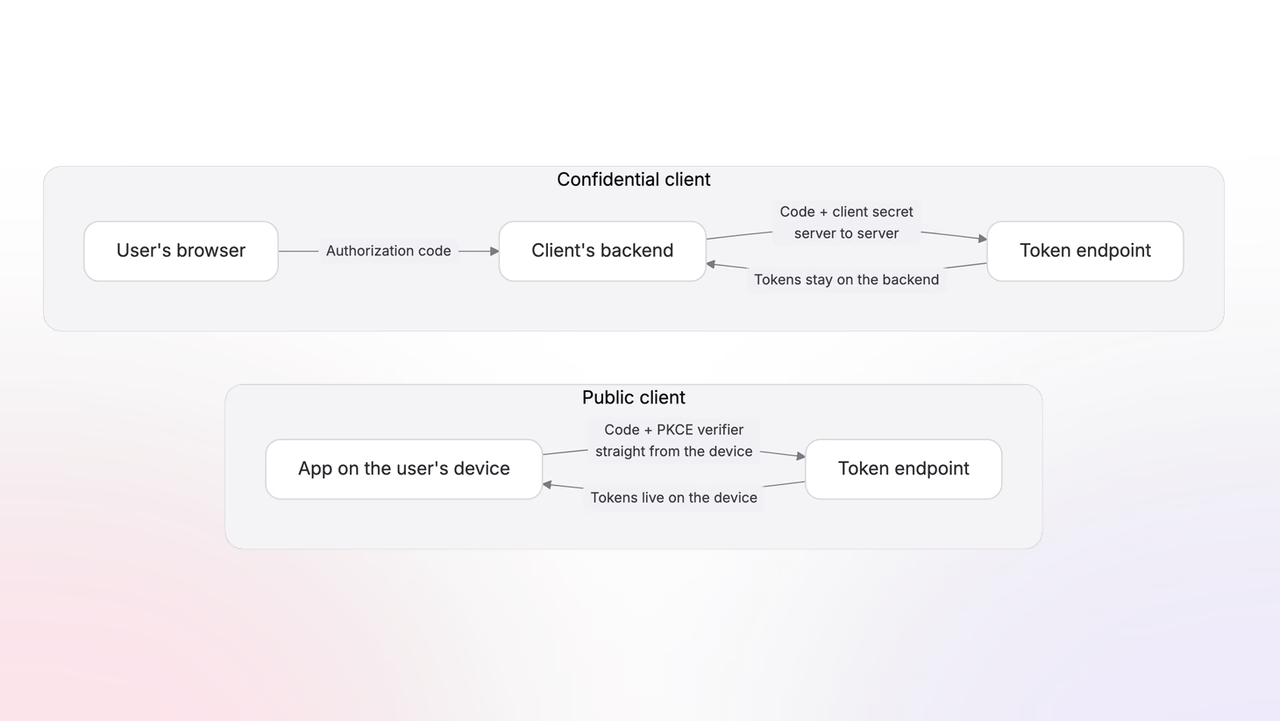
Every client is one of two types, and the difference comes down to a single question: can the app keep a secret?
- A confidential client runs code on a server the developer controls, so it can store a
client_secretthat users never see. It authenticates to the token endpoint with that secret, which lets your server prove which client is calling. - A public client runs entirely on the user's device (a single-page app, a native mobile app, a CLI), where any embedded secret would ship to the user and could be read. Public clients receive no secret and rely on PKCE instead.
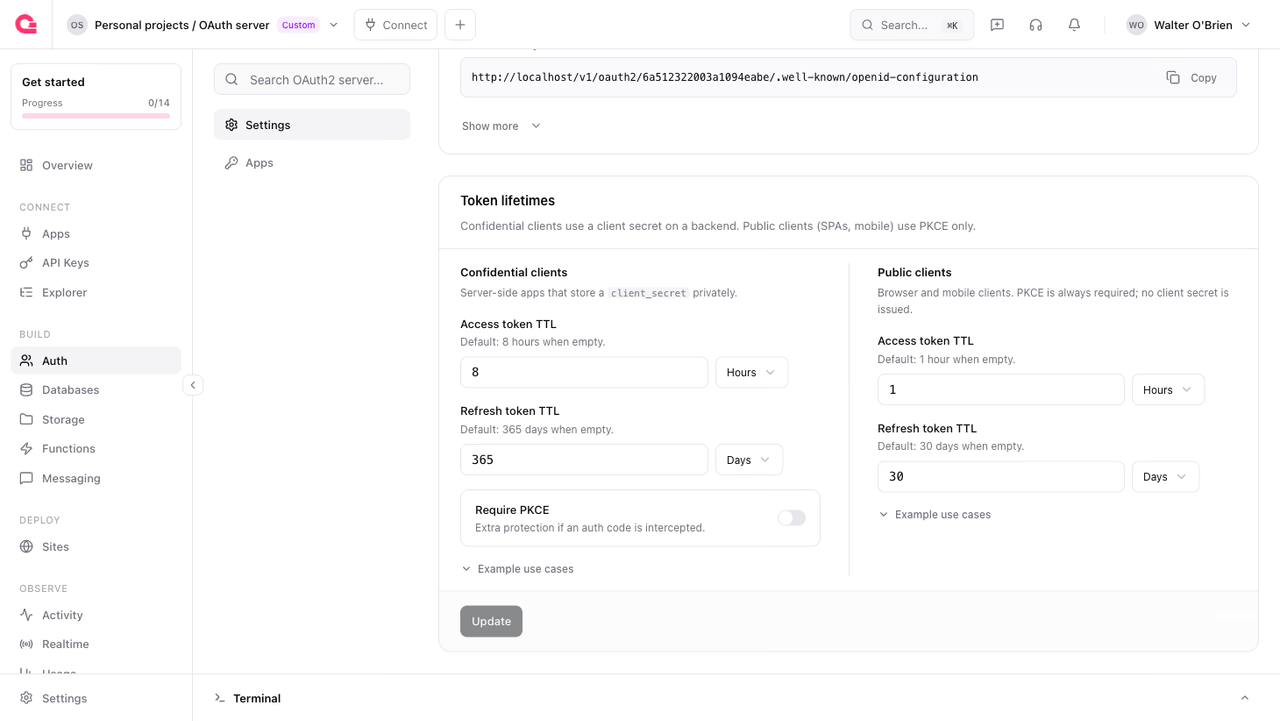
The type a client uses changes what it can do:
| Confidential | Public | |
|---|---|---|
| Client secret | Issued, sent on token requests | None issued |
| PKCE | Optional (configurable per project) | Always required |
| Token introspection | With its client secret | With a project API key holding the oauth2.read scope |
| Default access token lifetime | 8 hours | 1 hour |
| Default refresh token lifetime | 365 days | 30 days |
Choose confidential whenever the app has a backend. It is the safer default: the token exchange is protected by a secret, tokens never touch the browser, and sessions can last longer. Reserve public for apps that genuinely have no server to hold a secret.
Register a client
Create a client with the create method. It needs only a name and a redirect URI; everything else can be filled in later with update. Registering a confidential client also calls for a secret before it can exchange tokens.
An app is owned by the user who created it. For team-oriented platforms, pass teamId on creation to make it team-owned instead: every team member can see it, while members with the owner or developer role manage it.
You can also create clients from the Console's Apps tab, which offers the same fields.
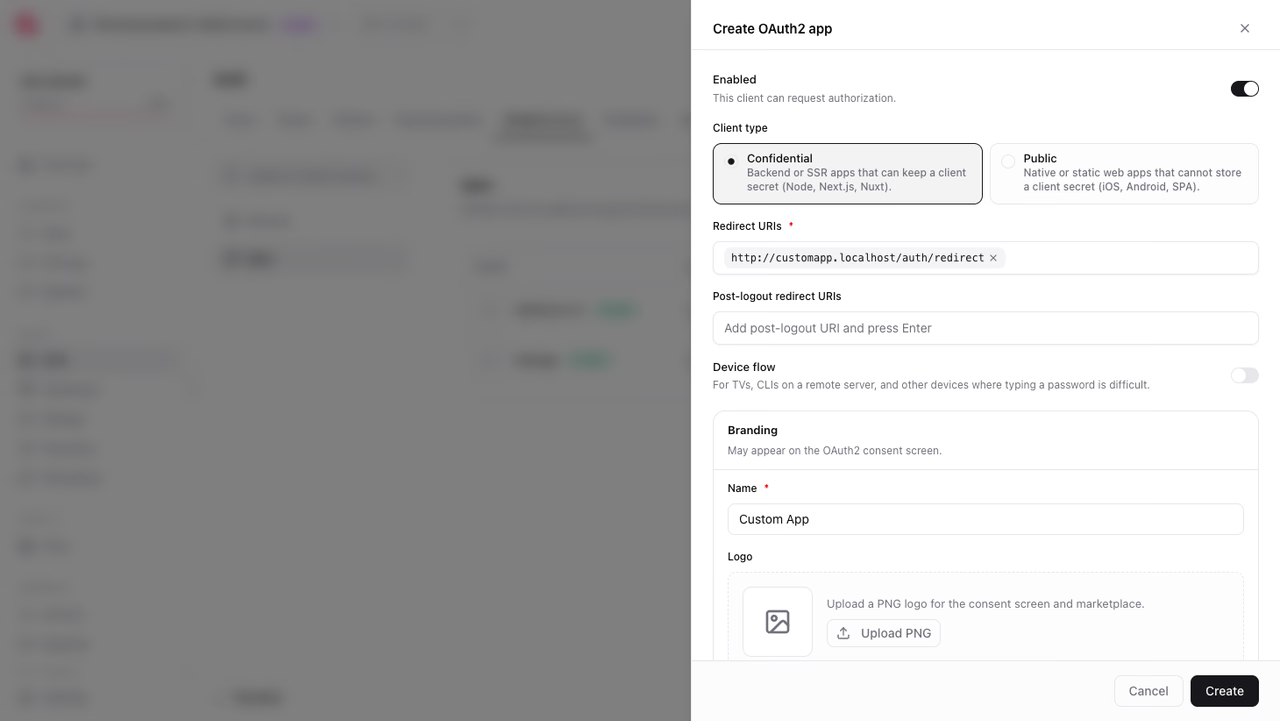
logoUri and images accept URLs, not files. Appwrite Storage pairs well here: upload the file to a bucket, take its preview URL, and store that URL on the app.
Manage client secrets
A confidential client authenticates with a secret. Four methods manage them in one place: createSecret, listSecrets, getSecret, and deleteSecret.
Generate a new secret with createSecret. The plaintext value is returned only in this response.
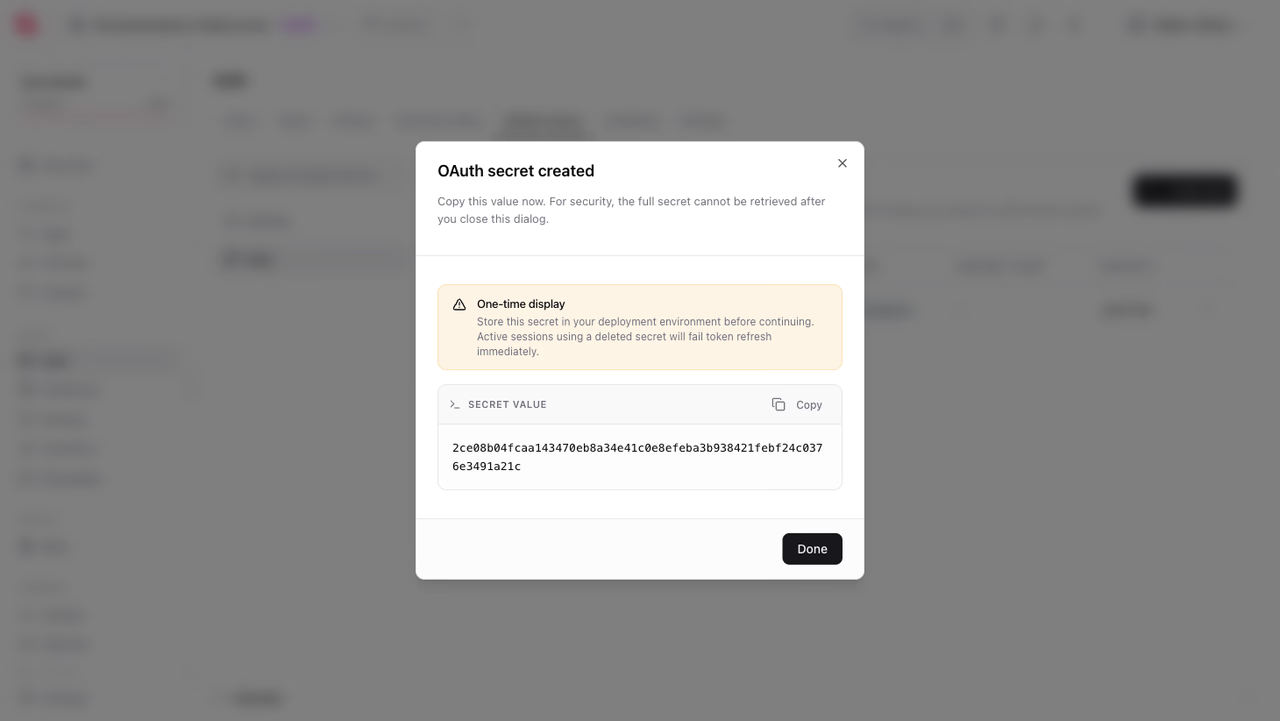
A client can hold several secrets at once, which is how you rotate them without downtime: create the new secret, roll it out, then delete the old one. Each entry in listSecrets carries the metadata for deciding which secret can be removed safely: a hint of the value, who created it (createdById, createdByName), when it was created, and lastAccessedAt for when it last authenticated a request.
getSecret reads a single entry by ID, and deleteSecret revokes it immediately.
List clients
The list method drives three different screens, depending on the queries you pass:
- A developer portal: filter by the signed-in user with
Query.equal('userId', userId)so developers manage their own apps. - Team settings: filter with
Query.equal('teamId', teamId)for the apps a team owns. - An apps marketplace: list without an owner filter to show all registered apps. Filter by labels, such as
Query.contains('labels', ['official']), when the marketplace should only show apps you have vetted, because labels cannot be self-assigned.
Always paginate with Query.limit() and Query.cursorAfter(); a marketplace can grow past any single page.
Get a client
Read a single client with get. This backs the app detail page in a developer portal, and a consent screen uses it to show the requesting app's name and logo.
Update a client
Change a client's redirect URIs, branding, or type with the update method.
The type parameter accepts confidential (the default) or public. Set deviceFlow to true to let the client use the device authorization flow. The branding fields (logoUri, tagline, privacyPolicyUrl, termsUrl) can appear on the consent screen, and they fill out the app's listing on your marketplace.
Transfer to a team
Convert a user-owned app to team ownership, or move it between teams, with updateTeam. The member doing the transfer needs the owner or developer role in the app's current team, and at least membership in the new one.
Curate with labels
Labels are trust markers like official, partner, or verified. They are read-only for clients: only a Server SDK using a project API key with the apps.write scope can set them, so app owners cannot mark themselves as trusted. That is what makes them safe to filter a marketplace by.
Labels replace the previous set on every call. Up to 100 labels are allowed, each up to 36 alphanumeric characters.
Revoke all tokens
deleteTokens invalidates every token issued to a client at once: a kill switch for all of its sessions. Reach for it when testing, since it forces the consent screen to reappear, or as an emergency response to a leaked secret, together with rotating the secret itself.
Delete a client
Deleting a client immediately invalidates every token issued to it.
Dynamic client registration
Clients can also register themselves over plain HTTP, without an Appwrite SDK or a signed-in user, through the registration endpoint (RFC 7591). This is what makes your OAuth2 server compatible with MCP servers and other software that provisions its own client on first contact. Registration is rate-limited per IP.
{ "client_id": "6a56677caf736a2310a2", "client_id_issued_at": 1784047484, "redirect_uris": ["https://vantage.localhost/auth/redirect"], "token_endpoint_auth_method": "none", "grant_types": ["authorization_code"], "response_types": ["code"], "client_name": "MCP Client"}token_endpoint_auth_method: none registers a public client for PKCE; client_secret_basic (the default) and client_secret_post register confidential clients. The registered app appears in your Console and in list like any other client.
Was this page helpful?
Share what worked or what we should fix. Once approved, our agents automatically apply suggested updates to the docs.