Collections_
Organize embeddings with Appwrite VectorsDB collections. Learn how to create collections with a fixed dimension, manage them, and configure permissions.
3 min read
Appwrite uses collections as containers of documents. A VectorsDB collection stores embeddings, so every collection is created with a fixed dimension, the length of the embedding vectors it holds. All documents in the collection must use vectors of that exact length.
Unlike TablesDB, you don't define a schema for a VectorsDB collection. The schema is fixed and provisioned for you when the collection is created:
| Attribute | Type | Description |
|---|---|---|
embeddings | vector | The embedding vector. Required, and sized to the collection's dimension. |
metadata | object | Arbitrary JSON stored alongside the vector. Optional. |
Because the schema is fixed, VectorsDB has no typed-attribute endpoints like TablesDB columns. You cannot add, update, or delete attributes on a collection. You store your vector under embeddings and any associated data under metadata. Indexes are the one part of a collection you do control, and you manage them from vector search.
Create collection
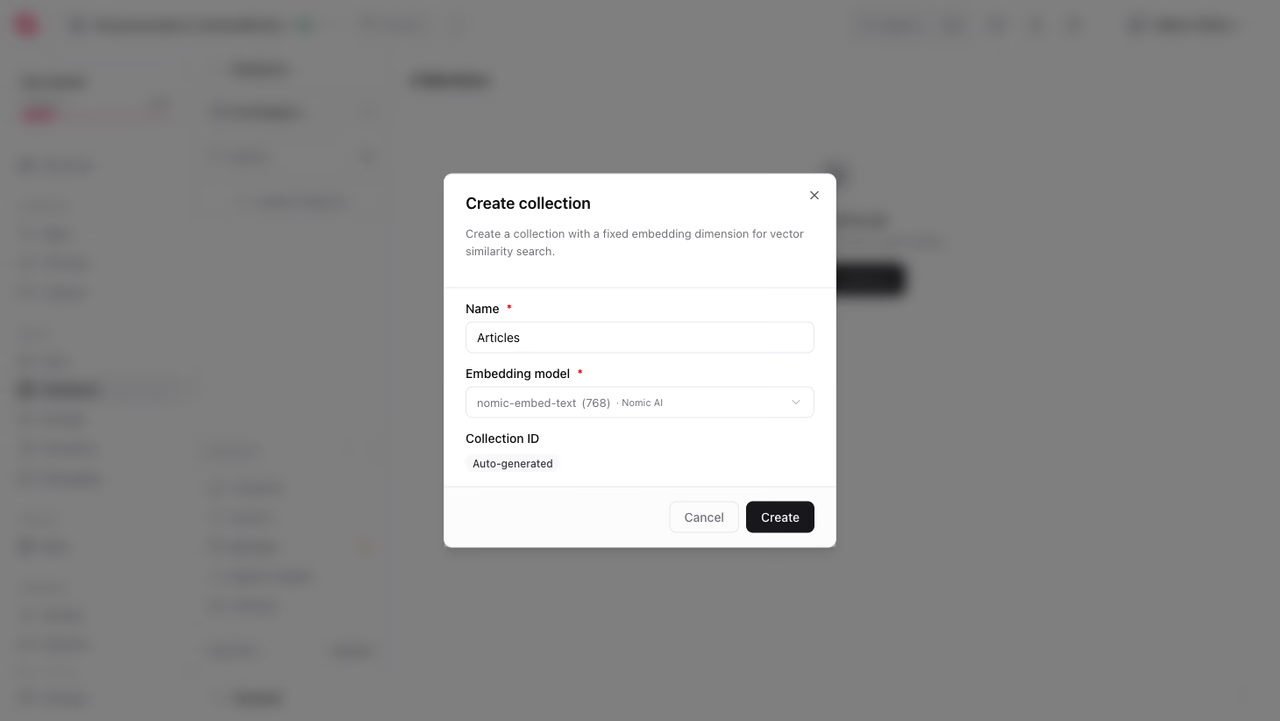
You can create collections using the Appwrite Console, a Server SDK, or using the CLI.
Head to the Databases page, open a database, and click Create collection. Name the collection and pick the Embedding model you plan to use. The Console lists each model with the dimension it produces and sets the collection's dimension from your choice.
You can also create collections programmatically using a Server SDK. Appwrite Server SDKs require an API key.
The dimension is required and must match the length of the vectors you'll store. For example, the default nomic-embed-text model produces 768-dimensional vectors, so you would create the collection with dimension: 768.
The dimension is set when the collection is created and applies to every document in it. Choose a value that matches your embedding model, between 1 and 16000. To store vectors of a different length, create a separate collection.
Schema
A VectorsDB collection's schema is provisioned automatically and cannot be changed. Every collection has exactly two attributes:
embeddings, a requiredvectorattribute sized to the collection'sdimension.metadata, an optionalobjectattribute that holds arbitrary JSON.
A document's data therefore looks like this, where the vector length equals the collection's dimension:
{ "embeddings": [0.12, 0.84, 0.05, 0.63], "metadata": { "title": "Introduction", "source": "docs" }}An object index on metadata is also created for you. There are no endpoints to add, modify, or remove attributes. To learn how to write and read this data, see Documents.
Manage collections
Use a Server SDK to list, retrieve, update, and delete collections.
List collections
Get collection
Update collection
You can rename a collection and change its permissions, documentSecurity, or enabled state. The name is required when updating.
Delete collection
Deleting a collection permanently removes it and all of its documents.
Permissions
Appwrite uses permissions to control data access. For security, only users that are granted permissions can access a resource.
By default, Appwrite doesn't grant permissions to any users when a new collection is created. This means users can't create documents or read, update, and delete existing documents until you grant access.
Set documentSecurity to true on a collection to configure permissions on individual documents. A user then needs either collection level or document level permissions to access a document.
Was this page helpful?
Share what worked or what we should fix. Once approved, our agents automatically apply suggested updates to the docs.