Simplify your data management with relationships_
Learn how to simplify your table management and save time and effort with database relationships.

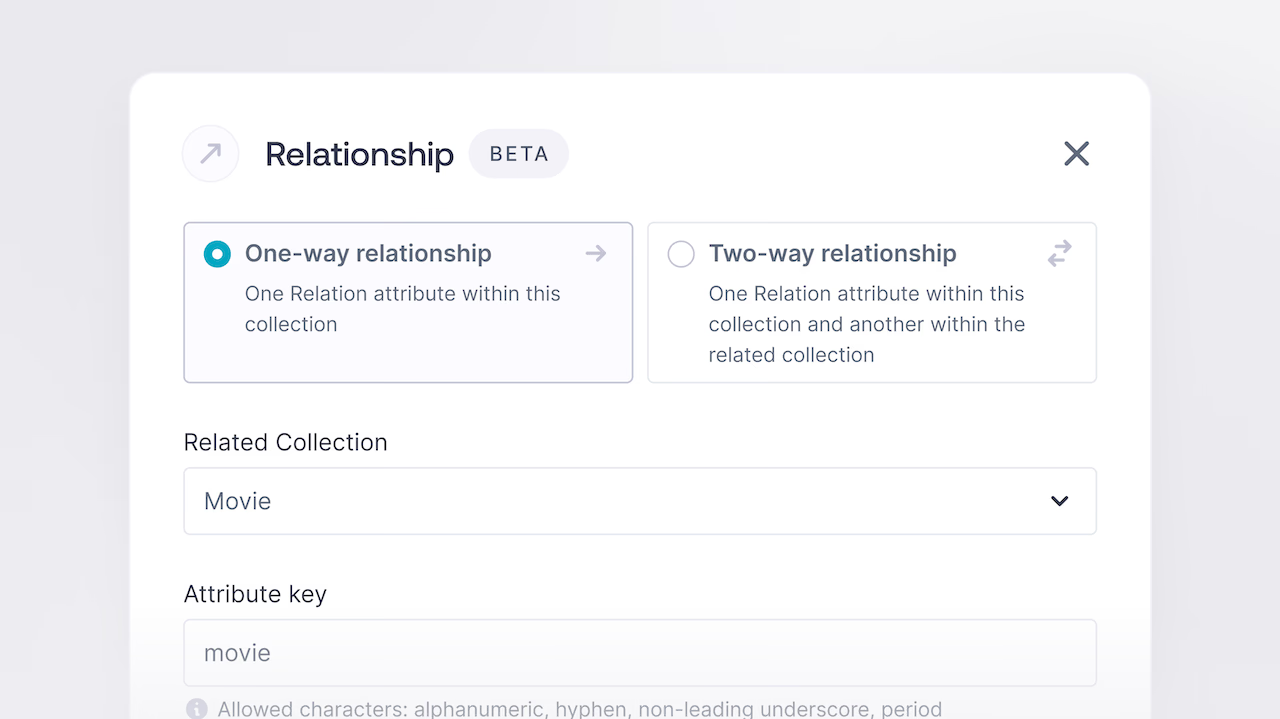
Managing tables of data is an essential task for any application, but it can quickly become complex when you need to keep track of the relationships between different tables. For instance, if you have two tables, such as movies and reviews, you may need to retrieve all the reviews associated with a particular movie. However, writing complex code to retrieve this data and merge it together manually can be time-consuming and prone to errors.
That's where one of Appwrite’s newest features comes in. Database relationships help you manage the links between your tables more easily. With this feature, you can create links between different tables by simply adding a new column to them. You can choose from four types of relationships: one-to-one, one-to-many, many-to-one, and many-to-many.
Relationship Types
One to One
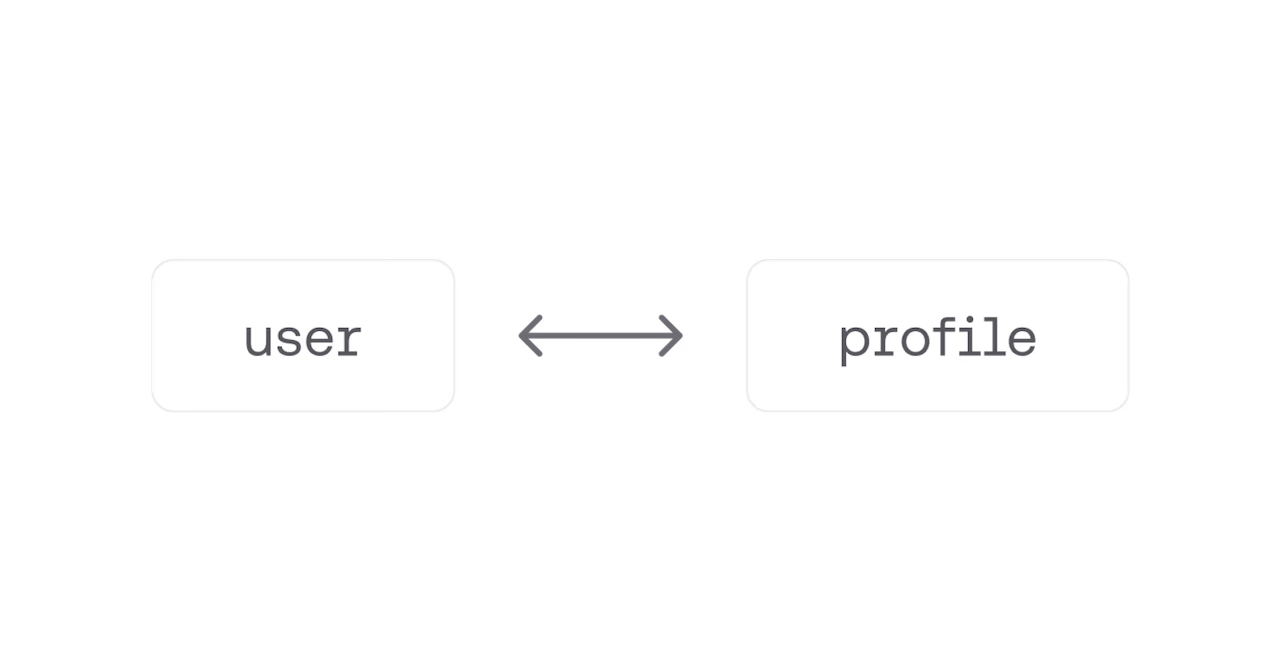
A one-to-one relationship means that each row in one table is associated with only one row in another table. For example, if you have a table of users and a table of profiles, each user can have only one profile, and each profile can belong to only one user.
One to Many
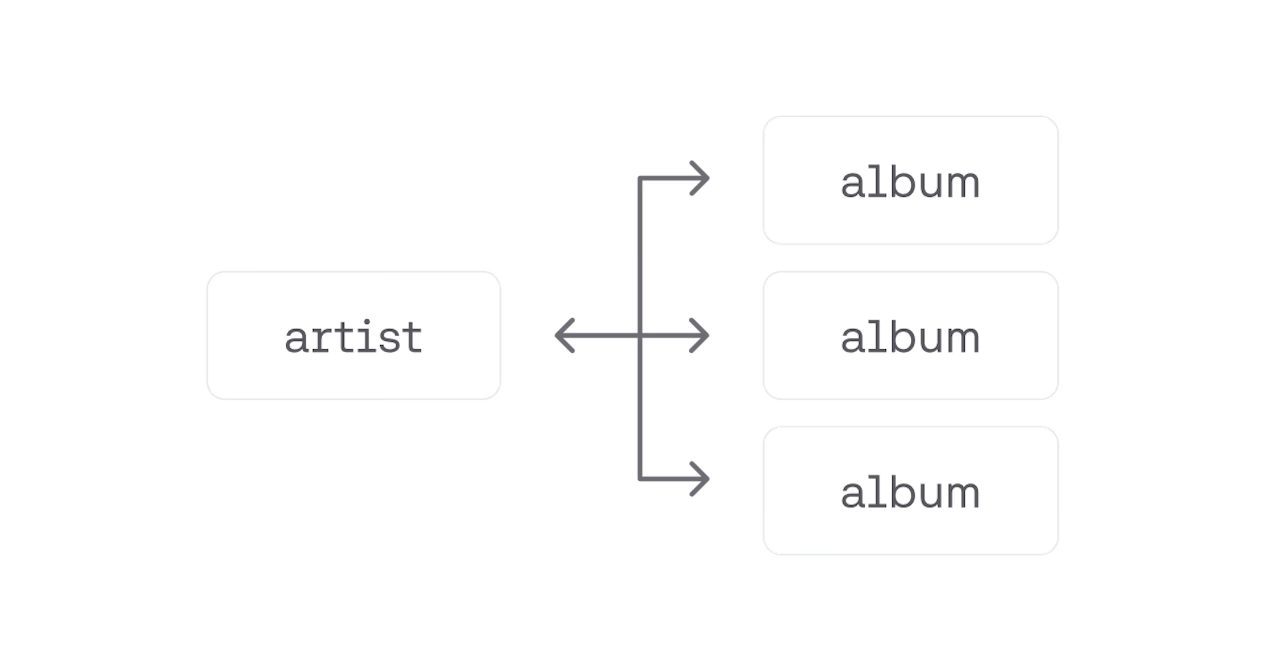
A one-to-many relationship is when each row in one table can be associated with multiple rows in another table. For instance, if you have a table of artists and a table of albums, each artist can have many albums released, but each album can only be released by one artist.
Many To One
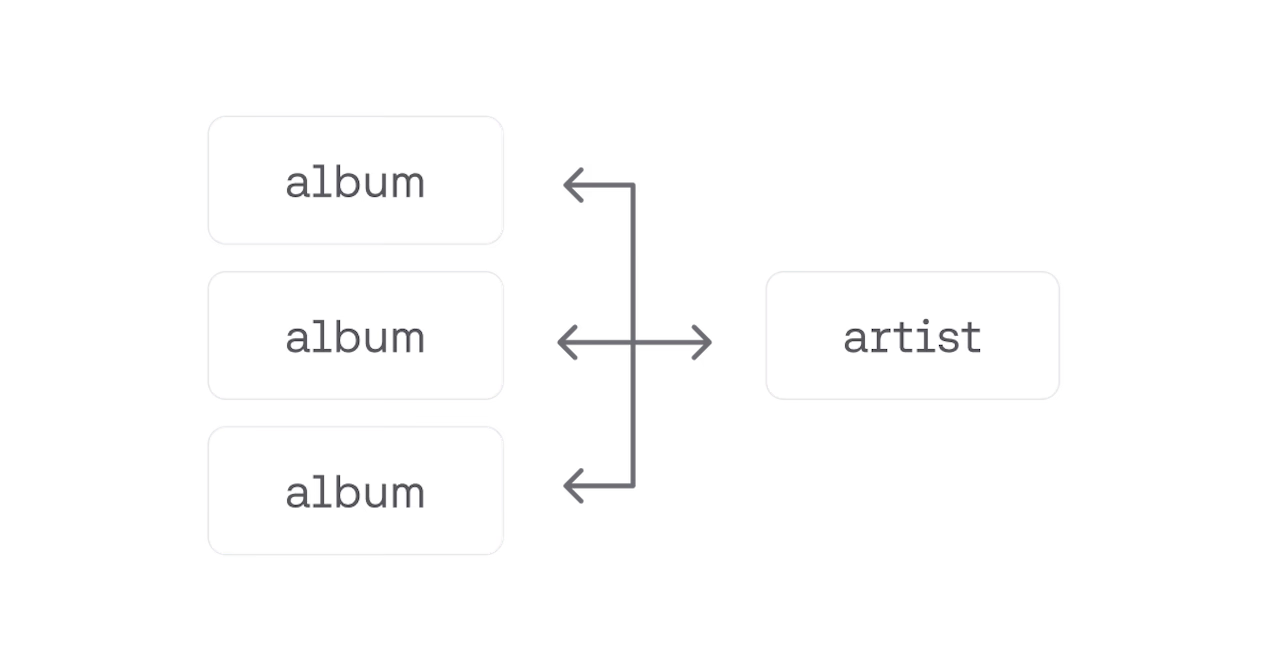
In contrast, many-to-one relationships are when multiple rows in one table can be associated with a single row in another table. Inversely to the previous example, if you have a table of albums and a table of artists, many albums can be released by a single artist. While this may seem the same as a one-to-many relationship, it differs once you take the direction into account. A many-to-one relationship that is one-way can be used to represent a relationship that is only seen on the many side.
Many to Many
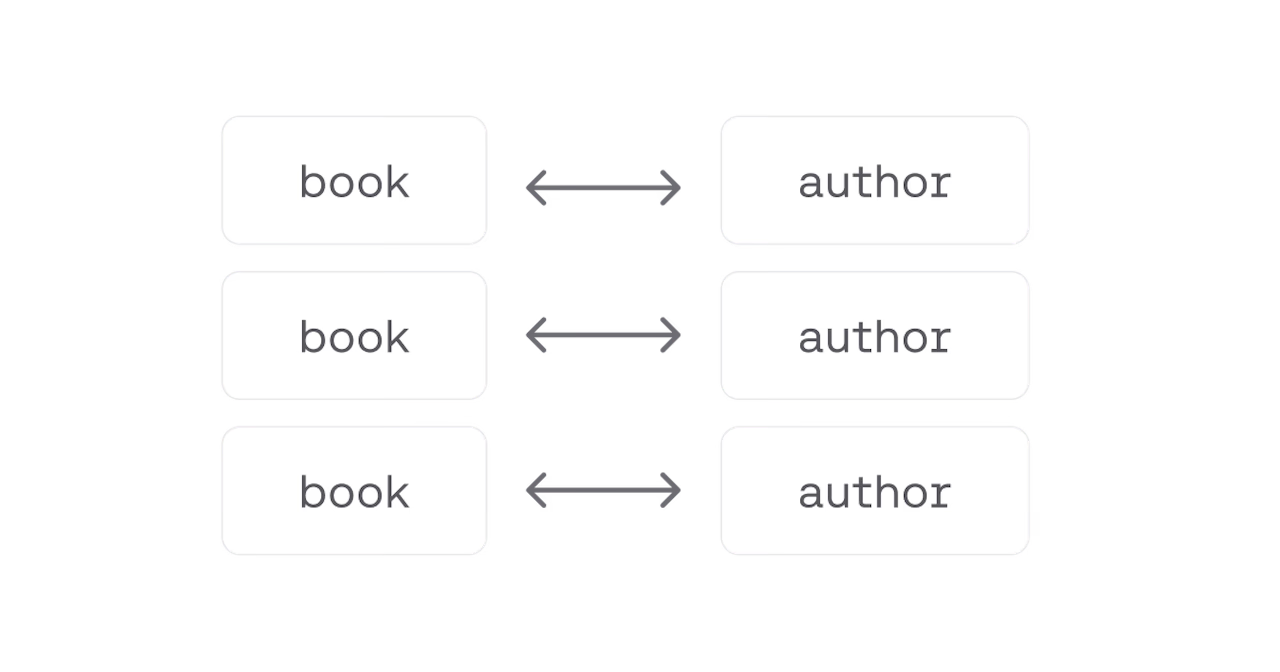
Finally, many-to-many relationships describe a scenario where multiple rows in one table can be associated with multiple rows in another table. For example, if you have a table of books and a table of authors, each book can have multiple authors, and each author can write multiple books.
By understanding the differences between these relationship types, you can choose the best one that suits your application's needs and create a more efficient database management system.
Relationship Directions
Appwrite relationships offer a high degree of flexibility and customization, allowing developers to create various scenarios with the available options. In addition to choosing from the four relationship types, developers can also decide whether the relationship should be one-way or two-way.
One Way
One-way relationships are a type of relationship where only the table where the relationship column was created will see the relationship. For example, suppose a developer creates a one-way relationship between a movies table and a reviews table. In that case, the movies table will have a column containing the related reviews, but the reviews table will not have a column containing the related movie. This type of relationship is useful in scenarios where the parent table holds all the necessary information, and the child table only needs to access the parent's data.
The movie response:
{    "$id": "642b9afc785532a807d8",    "$databaseId": "marvel",    "$tableId": "movies",    "$createdAt": "2023-04-04T03:35:24.493+00:00",    "$updatedAt": "2023-04-04T03:35:24.493+00:00",    "$permissions": [
    ],    "title": "Spiderman",    "reviews": [        {            "$id": "642b9d627d866e646602",            "$databaseId": "marvel",            "$tableId" :"reviews",            "$createdAt": "2023-04-04T03:45:38.514+00:00",            "$updatedAt": "2023-04-04T03:45:38.514+00:00",            "$permissions": [
            ],            "content": "Great movie"        }    ]}
The review response, notably with no review column:
{ "$id": "642b9d627d866e646602", "$databaseId": "marvel", "$tableId": "reviews" "$createdAt": "2023-04-04T03:45:38.514+00:00", "$updatedAt": "2023-04-04T03:45:38.514+00:00", "$permissions": [], "content": "Great movie"}Two Way
On the other hand, a two-way relationship is a type of relationship where both tables will see the relationship. In the same example, if a two-way relationship is created between the movies and reviews tables, both tables will have columns containing the related data. This type of relationship is beneficial in scenarios where both the parent and child tables need to access each other's data.
The movie response:
{ "$id": "642b9afc785532a807d8", "$databaseId": "marvel", "$tableId": "movies", "$createdAt": "2023-04-04T03:35:24.493+00:00", "$updatedAt": "2023-04-04T03:35:24.493+00:00", "$permissions": [], "title": "Spiderman", "reviews": [ { "$id": "642b9d627d866e646602", "$databaseId": "marvel", "$tableId": "reviews", "$createdAt": "2023-04-04T03:45:38.514+00:00", "$updatedAt": "2023-04-04T03:45:38.514+00:00", "$permissions": [], "content": "Great movie" } ]}The review response, now with the movie column:
{ "$id": "642b9d627d866e646602", "$databaseId": "marvel", "$tableId": "reviews", "$createdAt": "2023-04-04T03:45:38.514+00:00", "$updatedAt": "2023-04-04T03:45:38.514+00:00", "$permissions": [], "content": "Great movie", "movie": { "$id": "642b9afc785532a807d8", "$databaseId": "marvel", "$tableId": "movies", "$createdAt": "2023-04-04T03:35:24.493+00:00", "$updatedAt": "2023-04-04T03:35:24.493+00:00", "$permissions": [], "title": "Spiderman" }}One-way and two-way relationships offer different advantages and disadvantages, depending on the specific requirements of the application. In some cases, one-way relationships can provide better performance by reducing the amount of data that needs to be stored and accessed. However, two-way relationships can provide more flexibility by allowing both tables to access each other's data.
On Delete Behavior
Managing related data can still be challenging, especially when deleting data. To address this, Appwrite relationships offer three deletion strategies: restrict, cascade, and set null.
Restrict
If you select the restrict option, you won't be able to delete a parent row if it has any related child rows. This option is helpful if you want to ensure that data integrity is maintained and that you don't accidentally delete data that is still relevant.
Cascade
If you choose cascade, deleting a parent row will also delete all related child rows. This option can be helpful if you want to remove all data associated with a particular parent row, such as when you want to delete a user and all their associated data.
Set Null
Finally, the set null option means that deleting a parent row will remove the relationship to the parent row for all of its related children. This can be useful if you want to retain the child's rows but simply remove the relationship.
Each of these options has its own use cases, and the choice ultimately depends on your specific application requirements. By providing these different options, Appwrite allows you to manage related data in a flexible and intuitive way, making it easier for you to build complex applications without worrying about data management.
Other Benefits
In addition to simplifying your table management, database relationships also provide several other benefits. First, they can help to ensure data consistency and integrity by enforcing referential constraints between related tables. This means that you can prevent orphaned rows or other data inconsistencies that might arise if you were to manage the relationships between tables manually. Additionally, using relationships can also improve the performance of your requests and reduce the amount of code you need to write, since you can retrieve related data in a single request rather than having to fetch it separately.
Overall, database relationships are a powerful tool that simplifies your table management and saves you time and effort. By easily linking your tables and retrieving related data, you can focus on developing your application's core features. Check out the docs for more information. We encourage you to give it a try today and see how it can benefit your development process.