Start with Next.js_
Build Next.js apps with the Appwrite React library. Add server-rendered authentication, sign-in, sign-up, and user state without writing the SSR plumbing yourself.
2 min read
Quick start agent prompt
Use this pre-built prompt with Cursor, Claude, or another coding agent to set up Appwrite for this guide. Copy it, preview it below, or open it directly in a supported tool.
Learn how to set up your first Next.js project with the Appwrite React library. The library ships SSR auth handlers, server helpers, and the same React hooks you use on the client.
1. Create project
Head to the Appwrite Console.
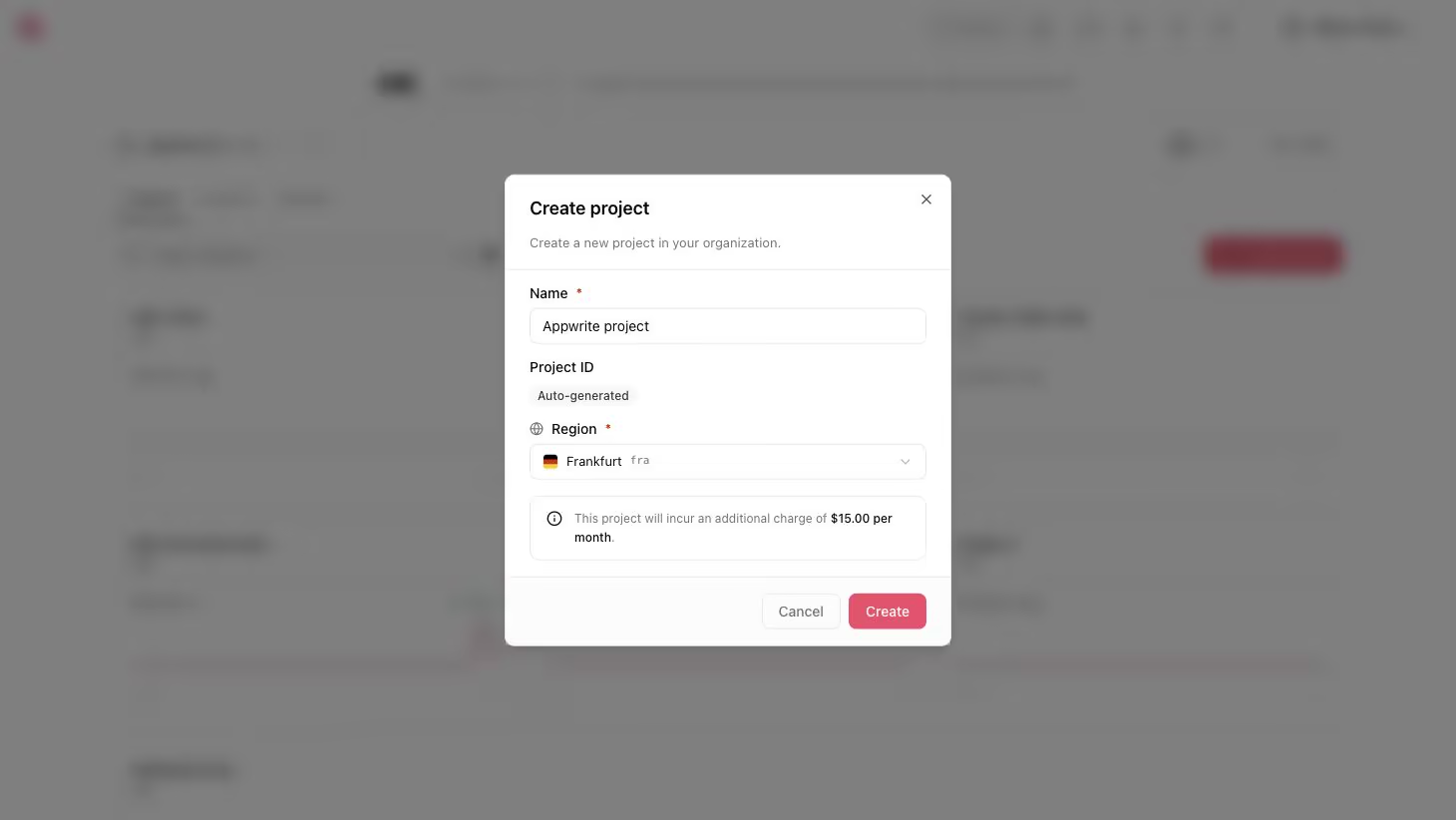
If this is your first time using Appwrite, create an account and create your first project.
Then, under Add a platform, add a Web app. The Hostname should be localhost.
Adding localhost as a platform lets your local app talk to Appwrite. For production, add your live domain to avoid CORS errors.
Learn more in our CORS error guide.
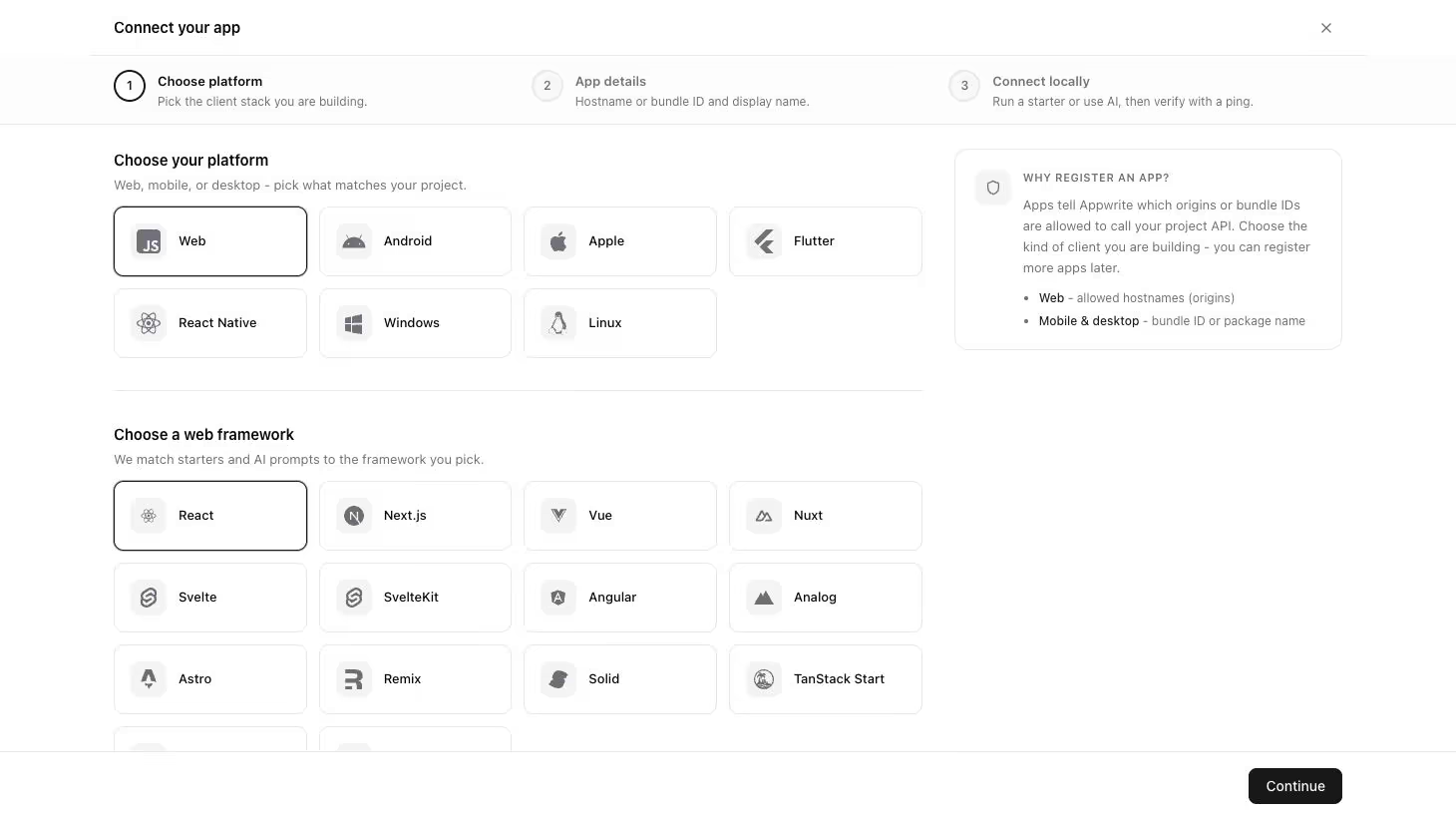
You can skip optional steps.
2. Create an API key
In your project, go to Overview > Integrations > API keys and create a new key with the scopes users.read, users.write, and sessions.write. Copy the key secret. The SSR handler uses this to create sessions on behalf of users; never expose it to the browser.
3. Create Next.js project
Create a Next.js project with TypeScript and the App Router.
npx create-next-app@latest my-app --ts --app && cd my-appAccept the defaults for the remaining prompts.
4. Install the React library
Install the React library along with the Appwrite Web SDK, Appwrite Node SDK, and @tanstack/react-query packages.
npm install @appwrite.io/react appwrite node-appwrite @tanstack/react-query5. Configure environment variables
Create a .env.local file at the project root. Replace <REGION>, <PROJECT_ID>, and <API_KEY> with your own values.
NEXT_PUBLIC_APPWRITE_ENDPOINT=https://<REGION>.cloud.appwrite.io/v1NEXT_PUBLIC_APPWRITE_PROJECT_ID=<PROJECT_ID>APPWRITE_API_KEY=<API_KEY>NEXT_PUBLIC_* values are shipped to the browser. APPWRITE_API_KEY stays server-only.
6. Mount the auth handler route
Create app/api/appwrite/[...appwrite]/route.ts. The handler exposes the sign-in, sign-up, sign-out, and oauth/callback endpoints that the React hooks POST to in SSR mode.
import { createAppwriteHandlers } from "@appwrite.io/react/handlers/next";
export const { GET, POST } = createAppwriteHandlers({  endpoint: process.env.NEXT_PUBLIC_APPWRITE_ENDPOINT!,  projectId: process.env.NEXT_PUBLIC_APPWRITE_PROJECT_ID!,  apiKey: process.env.APPWRITE_API_KEY!,  basePath: "/api/appwrite",});
7. Wrap your app with AppwriteProvider
Create app/providers.tsx. The provider runs in client components and accepts the SSR session secret as a prop so the underlying Web SDK can hydrate authenticated.
"use client";
import { AppwriteProvider } from "@appwrite.io/react";
export function Providers({  session,  children,}: {  session?: string | null;  children: React.ReactNode;}) {  return (    <AppwriteProvider      endpoint={process.env.NEXT_PUBLIC_APPWRITE_ENDPOINT!}      projectId={process.env.NEXT_PUBLIC_APPWRITE_PROJECT_ID!}      ssr={{ session, basePath: "/api/appwrite" }}    >      {children}    </AppwriteProvider>  );}
Replace app/layout.tsx with the following. It reads the session cookie on the server and passes it into the provider.
import { createNextServerHelpers } from "@appwrite.io/react/server/next";import { Providers } from "./providers";
const appwrite = {  endpoint: process.env.NEXT_PUBLIC_APPWRITE_ENDPOINT!,  projectId: process.env.NEXT_PUBLIC_APPWRITE_PROJECT_ID!,};
export default async function RootLayout({  children,}: Readonly<{ children: React.ReactNode }>) {  const helpers = createNextServerHelpers(appwrite);  const session = await helpers.readSessionCookie();
  return (    <html lang="en">      <body>        <Providers session={session}>{children}</Providers>      </body>    </html>  );}
8. Read the user on the server
Replace app/page.tsx. getLoggedInUser() calls the Appwrite API server-side with the session cookie, so the user is rendered with the first byte.
import { createNextServerHelpers } from "@appwrite.io/react/server/next";import { AuthPanel } from "./auth-panel";
const appwrite = {  endpoint: process.env.NEXT_PUBLIC_APPWRITE_ENDPOINT!,  projectId: process.env.NEXT_PUBLIC_APPWRITE_PROJECT_ID!,};
export default async function Page() {  const helpers = createNextServerHelpers(appwrite);  const user = await helpers.getLoggedInUser();
  return (    <main>      <h1>Appwrite React library on Next.js</h1>      <p>SSR user: {user?.email ?? "signed out"}</p>      <AuthPanel />    </main>  );}
9. Add the client auth panel
Create app/auth-panel.tsx. The hooks POST to the handler route, the server sets a cookie, and router.refresh() re-runs the server component so the SSR user updates.
"use client";
import { useState } from "react";import { useAuth } from "@appwrite.io/react";import { useRouter } from "next/navigation";
export function AuthPanel() {  const { user, isLoading, signIn, signUp, signOut, error } = useAuth();  const router = useRouter();  const [email, setEmail] = useState("");  const [password, setPassword] = useState("");  const [name, setName] = useState("");
  if (isLoading) return <p>Loading...</p>;
  if (user) {    return (      <div>        <p>Welcome, {user.name || user.email}</p>        <button onClick={() => signOut.signOut({ onSuccess: () => router.refresh() })}>          Sign out        </button>      </div>    );  }
  return (    <div>      <input placeholder="Name" value={name} onChange={(e) => setName(e.target.value)} />      <input placeholder="Email" value={email} onChange={(e) => setEmail(e.target.value)} />      <input        placeholder="Password"        type="password"        value={password}        onChange={(e) => setPassword(e.target.value)}      />      <button        onClick={() =>          signUp.emailPassword({            email,            password,            name,            onSuccess: () => router.refresh(),          })        }        disabled={signUp.isPending}      >        Sign up      </button>      <button        onClick={() =>          signIn.emailPassword({            email,            password,            onSuccess: () => router.refresh(),          })        }        disabled={signIn.isPending}      >        Sign in      </button>      {error && <p style={{ color: "red" }}>{error.message}</p>}    </div>  );}
10. Run your app
npm run devOpen localhost on port 3000. Sign up, sign out, and sign back in to verify the cookie-based SSR flow.
Next steps
For server-side admin operations, per-request session clients, OAuth callbacks, and the full hook reference, see the React library docs.
Was this page helpful?
Share what worked or what we should fix. Once approved, our agents automatically apply suggested updates to the docs.