OpenCode_
Learn how you can add the Appwrite MCP server to OpenCode to interact with both the Appwrite API and documentation.
1 min read
1. Quick start prompts
Get started quickly with these pre-built prompts for common Appwrite integrations:


2. Add the MCP server
Connect the Appwrite MCP server to OpenCode for deeper integration with the Appwrite API and documentation. It is a remote HTTP server, so there are no additional pre-requisites to install.
Use the following configuration in your opencode.json file to use the Appwrite MCP server.
{ "$schema": "https://opencode.ai/config.json", "mcp": { "appwrite": { "type": "remote", "enabled": true, "url": "https://mcp.appwrite.io/" } }}The server uses OAuth for authentication. When OpenCode first connects to the server, complete the sign-in flow in your browser to sign in to your Appwrite account and authorize access.
3. Test the integration
Try out the following example prompts:
Example prompts:
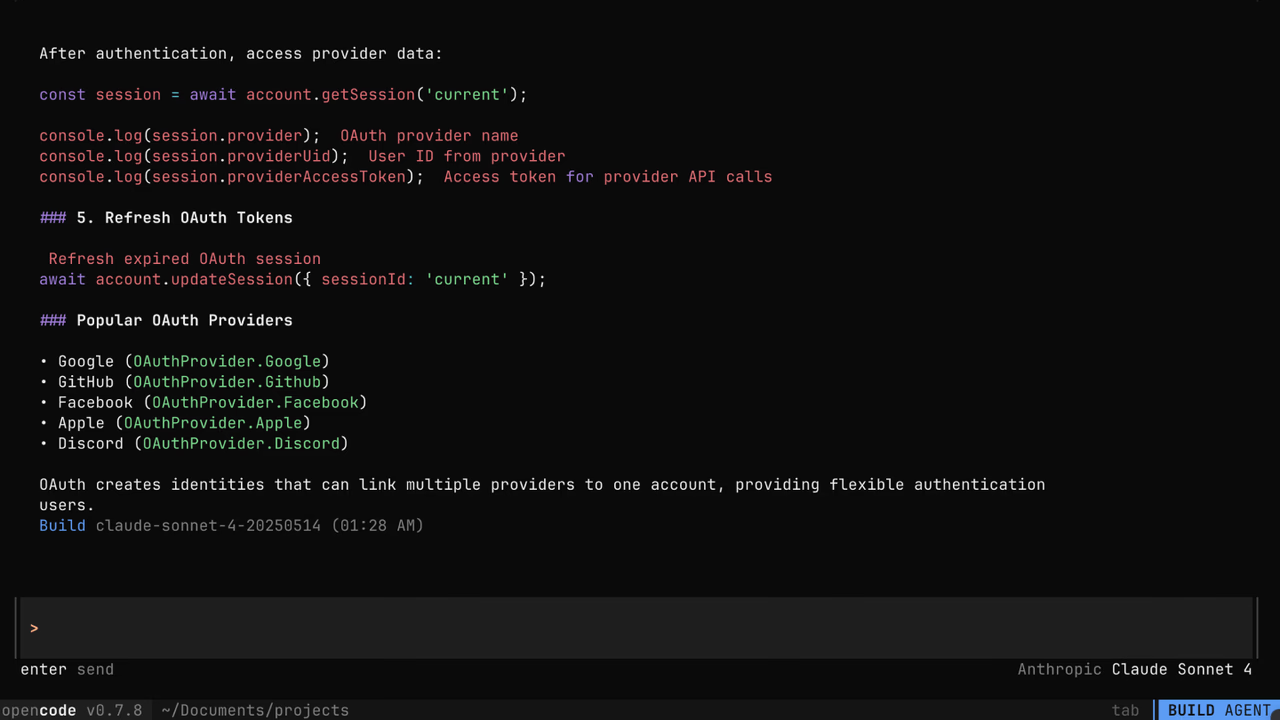
Create a new user in my Appwrite projectList all databases in my projectShow me the tables in my databaseHow do I set up real-time subscriptions in Appwrite?Show me how to authenticate users with OAuthHow do I implement file uploads with Appwrite Storage?
Was this page helpful?
Share what worked or what we should fix. Once approved, our agents automatically apply suggested updates to the docs.