Device flow_
Sign in with Appwrite from TVs, CLIs, and other input-constrained devices with the OAuth2 device authorization grant.
2 min read
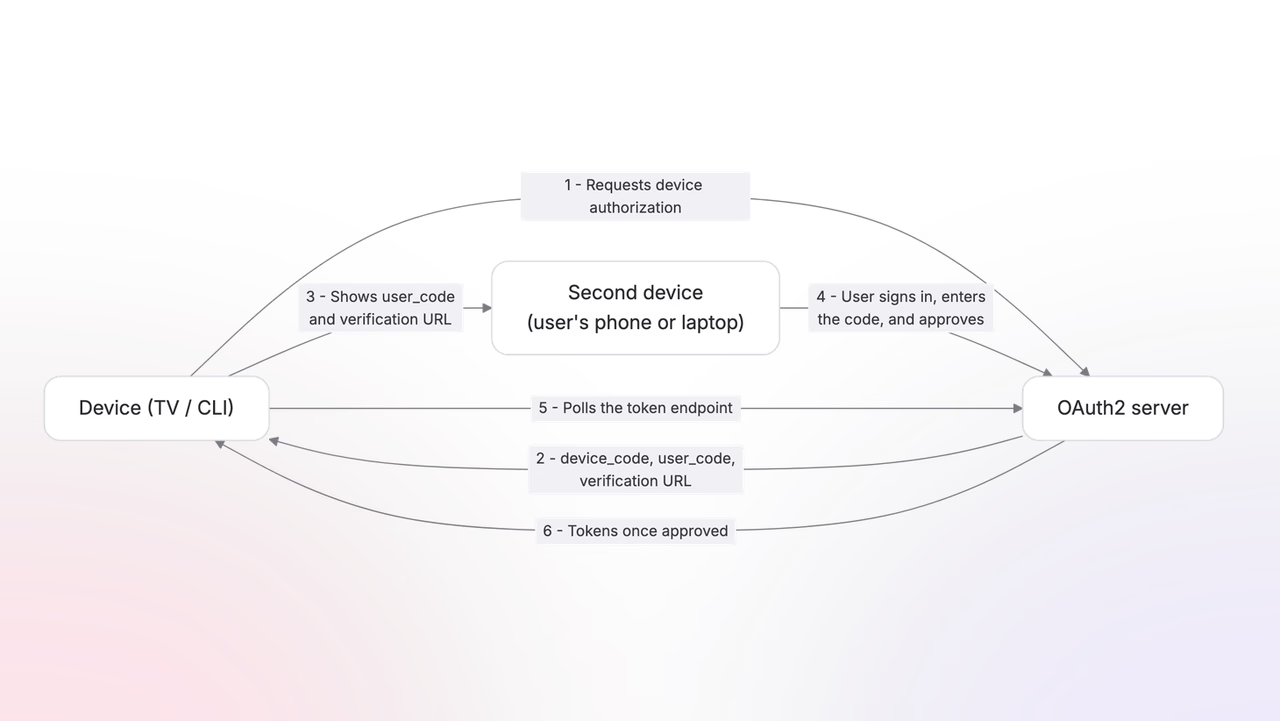
Some clients cannot run the redirect flow: a TV has no browser to send the user back to, and a CLI has no redirect URI to receive a code. The device flow (RFC 8628) replaces the redirect with a short code. Your app shows the code, the user approves it from their phone or laptop, and your app picks up the tokens by polling.
The flow is off by default. Turn it on with the device flow toggle on your app's OAuth client page; the authorization request fails without it.
Request a device code
Instead of building an authorization URL, ask for a device code, authenticated with your client credentials:
Public clients send only their client_id. The response carries everything both sides need:
{ "device_code": "6015241e3d2023091dcabf86d5ab85c3f16c985c49d418f37f0c446e1d2c2a9c", "user_code": "MDF2TN39", "verification_uri": "https://cloud.appwrite.io/console/oauth2/device", "verification_uri_complete": "https://cloud.appwrite.io/console/oauth2/device?user_code=MDF2TN39", "expires_in": 600, "interval": 1}Show the user the user_code and the verification_uri. The verification_uri_complete variant carries the code in the URL, which is what you encode into a QR code so the user skips typing it. The codes expire after expires_in seconds, ten minutes here, after which your app requests a fresh pair.
The user approves
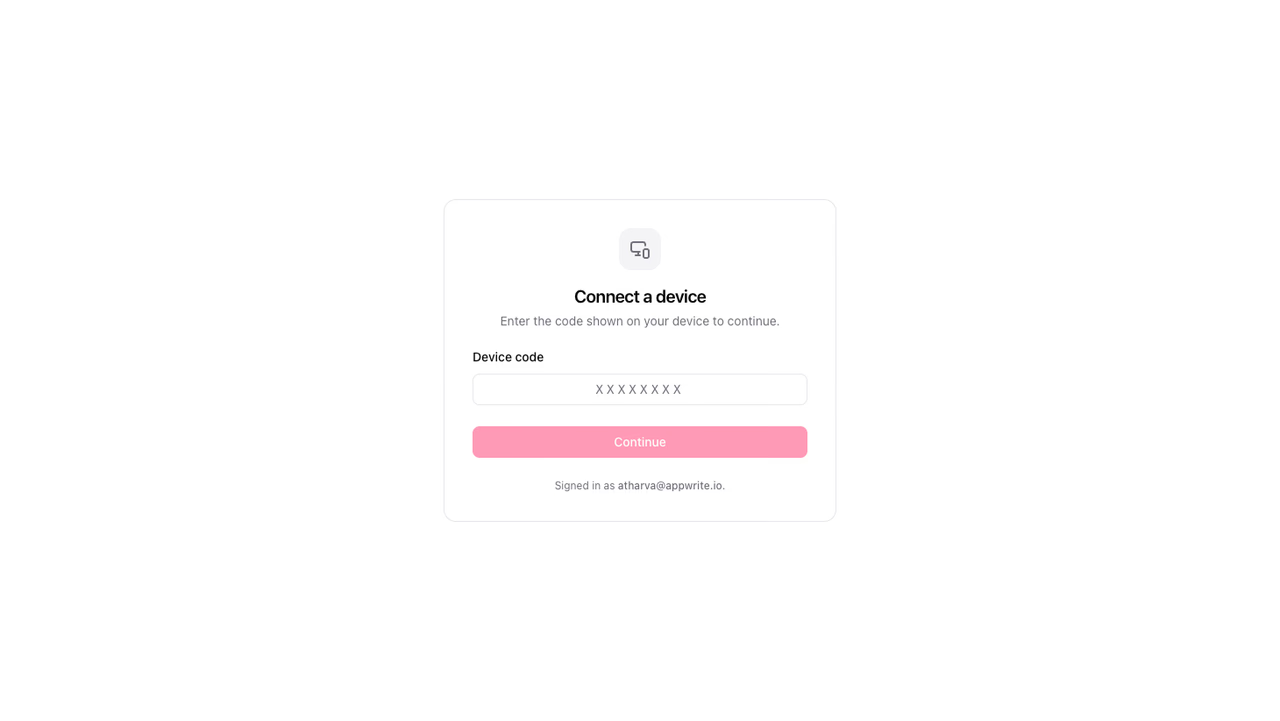
On their phone or laptop, the user opens the verification URL, signs in if no session exists, and enters the code. From there they land on the same consent screen as the redirect flow, with one difference: after approving, the screen tells them to return to their device.
Poll for tokens
While the user approves, your app polls the token endpoint with the device_code, waiting at least interval seconds between attempts:
Until the user decides, each poll returns a pending error:
{ "error": "authorization_pending", "error_description": "The user has not yet approved or denied the device authorization request."}Keep polling. The moment the user approves, the same call returns the full token response, with the access, refresh, and ID tokens and the granted scopes. If the user declines instead, polls return error=access_denied, and your app starts over with a fresh device code.
From here, nothing is device-specific. The tokens behave like the tokens from any other grant: the same scopes and targets apply, and the refresh token rotates on every use.
Was this page helpful?
Share what worked or what we should fix. Once approved, our agents automatically apply suggested updates to the docs.